Cyber Safety: Brute Force Hacking

Among the many cyber threats targeting login credentials, brute force attacks remain one of the most common and persistent. These attacks can compromise personal accounts, business systems, and entire networks when proper safeguards are not in place. Understanding how they work and how to defend against them is essential for anyone using digital tools. 

What Is a Brute Force Attack?

A brute force attack is a hacking technique that attempts to guess passwords or encryption keys by trying every possible combination until the correct one is found. 

It’s a trial-and-error approach that can be used to: 

    • Access user accounts
    • Crack encrypted files
    • Gain administrative control over websites or systems

While it may sound crude, brute force attacks are very effective, especially when users rely on weak passwords or outdated systems. 

Common Types of Brute Force Attacks

There are several variations of brute force attacks, each with its own strategy: 

    • Simple Brute Force: Tries every character combination one by one.
    • Dictionary Attack: Uses a list of common words and passwords.
    • Credential Stuffing: Tries known username/password pairs from data breaches.
    • Reverse Brute Force: Applies a common password across multiple usernames.
    • Hybrid Attack: Combines dictionary words with random characters to increase complexity.

Why Brute Force Attacks Are a Serious Threat

These attacks are: 

    • Automated: Hackers can run them continuously without direct involvement.
    • Widespread: Thousands of accounts can be targeted simultaneously.
    • Effective: Weak or reused passwords are quickly cracked.

With advancements in technology like NVIDIA’s RTX 5090, brute-force attacks have become significantly more powerful. A processor of this caliber can instantly crack simple passwords such as “password123.” In contrast, passwords that are at least 10 characters long and include a mix of symbols, numbers, and both uppercase and lowercase letters are far more resistant to brute-force methods.

The likelihood of such a complex password being cracked during the lifetime of your account is extremely low. To put it into perspective, a hacker would statistically win the lottery 185 billion times before successfully brute-forcing a single 10-character complex password.

How to Protect Yourself

Brute force attacks are preventable with the right strategies. There are many precautions you can take to improve your protection.

1. Use Strong, Unique Passwords

Avoid common words or patterns. Use a mix of uppercase and lowercase letters, numbers, and symbols. Writing down your passwords is always an efficient way to keep your password handy. If you want to stay virtual, password managers are another great option to keep your passwords accessible anywhere at any time.  

2. Enable Multi-Factor Authentication (MFA)

MFA adds a second layer of security by requiring you to confirm your login attempt using a separate device or method, such as a phone notification or a temporary verification code. Even if an attacker guesses your password, they would still need access to the second factor to gain entry.

3. Limit Login Attempt

Systems that temporarily lock accounts or introduce delays after failed attempts can deter attackers.  

4. Monitor for Suspicious Activity

Keep an eye out for failed login attempts or access from unfamiliar locations. Many platforms offer alert systems for unusual behavior. 

5. Keep Software Up to Date

Security patches close vulnerabilities that brute force tools often exploit. Regular updates are a simple but powerful defense. 

Brute force hacking remains a threat not because it’s sophisticated, but because it often works against unprepared users. Strong passwords, layered security, and vigilance make all the difference. Digital security isn’t just a technical issue — it’s a shared responsibility that starts with awareness and good habits. 
Microsoft Recall: How this Feature Puts Your Privacy at Risk

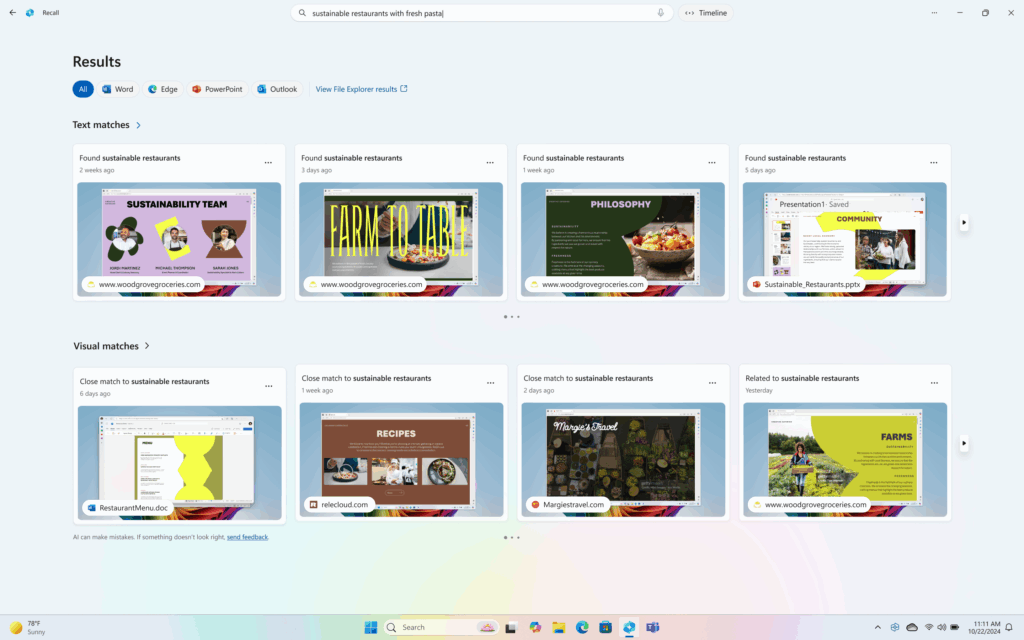
Microsoft first introduced Copilot’s Recall feature in May 2024 with the launch of Copilot+ PCs. Recall automatically captures encrypted snapshots of your screen every few seconds, allowing you to search your on-screen history using more colloquial language.

CoPilot_Recall_Dashboard

Credit: Microsoft

The data stays local on your device. After privacy concerns, Microsoft officially released Recall in April 2025 with improvements, including making Recall disabled by default which gives users more control over their involvement.  

Security Concerns

Copilot’s Recall functionality is a great tool that can help many people; however, it is inherently dangerous to cyber and personal security. Apps like Signal, known for their safety by having disappearing messages, could be obsolete if even one of the users in a conversation has Recall since it can store sensitive information even after it is deleted from Signal.  

Even if you opt out of Recall, whoever you are communicating with could be opted in, and your conversations or information shared could be stored, even after you delete them. Conversations will no longer be gone when deleted, but instead are saved to the opted-in user’s storage. Moreover, there is no notification that Recall is storing the information of a user (opted out) who is engaged in a conversation with another user who is using Recall.  

Be cautious of what you share. It has been a common practice to be careful of what you share on the internet since its dawn, but now it could be more important than ever as even trusted people could inadvertently capture your information. Recall could still be a risk for someone who has opted out through daily conversations. As of now, the only way for Recall to not store information is for both parties to opt out. 

Opting Out of Copilot's Recall

Copilot’s Recall was re-released on the latest Windows 11 24h2 update (KB055627). Recall is only available on Copilot+ PCs. If you do not have a Copilot+ PC you do not have to worry about having Recall yet, but you will have to be wary about those who have a Copilot+ PC and have installed the newest update for Windows.  

If you do have a Copilot+ PC and want to opt out, follow these steps:  

  1. Go to Settings
  2. Select Privacy & security 
  3. Choose Recall & snapshots
  4. Toggle Recall Off  

*You can also pause Recall temporarily from the system tray icon by selecting Pause. 

Blue Shield CA Data Breach: Protecting Your Information

On April 9, Blue Shield of California disclosed a potential data breach that involved member’s data being shared through Google Ads. Blue Shield has noted the following as affected:  

“Insurance plan name, type and group number; city; zip code; gender; family size; Blue Shield assigned identifiers for members’ online accounts; medical claim service date and service provider, patient name, and patient financial responsibility; and “Find a Doctor” search criteria and results (location, plan name and type, provider name and type).” 

 Blue Shield has confirmed that no other information was given like Social Security numbers or driver’s license numbers.  

The recent data breach at Blue Shield of California has raised concerns about the security of personal health data. If you’re a Blue Shield member or concerned about how such breaches can impact your security, please take a moment to read some safety precautions you can take.  

Stay Informed

The first step after any data breach is to stay informed. Blue Shield has been notifying members about the breach and what information was exposed. Keep an eye on emails or web updates from the company to understand the scope of the incident and what actions they are taking to mitigate the risks. 

Monitor Your Medical Records

It’s important to regularly review your medical records for any unfamiliar treatments or services that could signal fraudulent claims. By checking your Explanation of Benefits (EOB) statements, you can spot any suspicious activity early and report it to your provider.

Use Identity Monitoring Services

In the aftermath of a breach, many companies offer free credit and identity monitoring. Take advantage of these services to monitor any unusual activity tied to your personal data, including medical identity theft or misuse of your Social Security number. LifeLock by Norton is the most popular service for identity theft protection. There are several other companies that offer similar services like Guardio, IDShield, and Identity Force 

Freeze Your Credit

If you’re concerned about potential identity theft, freezing your credit with major credit bureaus (Equifax, Experian, etc.) can help prevent fraudulent account creation and use.  

Strengthening Your Online Security

After a breach, it’s a good idea to update your passwords and use two-factor authentication wherever possible. This added layer of security can help protect your accounts from unauthorized access. Be wary of phishing emails that may attempt to trick you into sharing sensitive information. This is especially important after a breach like this one as scammers may be trying to take advantage of the situation.  

See our guide on setting up 2FA for more help.   

File a Complaint if Necessary

If you feel that your data hasn’t been properly protected, you can file a complaint with the Department of Health and Human Services Office for Civil Rights or your state’s attorney general. It’s essential to hold organizations accountable for protecting your personal data. 

The Latest on the MOVEit Clop Hack Fallout

Clop, a Russian-speaking ransomware gang continues to exploit a zero-day vulnerability discovered in the file-transfer software MOVEit, the victim tally has climbed from a dozen to over 100 organizations this past month. Sensitive information is compromised, including from schools, municipalities, airlines, financial institutions, pension organizations, and even a Department of Energy (DOE) contractor charged with disposing of radioactive waste. UCLA, Siemens Energy, and AbbVie (one of the world’s largest biochemical companies) are among the recently revealed victims.  

UCLA’s IT security team discovered the flaw and “immediately activated its incidence response procedures, fixed the vulnerability using the security patch issued by Progress Software, and enhanced monitoring of the system,” a spokesperson told The Record. Siemens confirmed that it was targeted, but early analysis suggests no critical data was compromised. 

Although The Record received no official statement from AbbVie, an anonymous source confirmed the company was impacted by the hack and investigating what data was accessed.  


Clop Might Have Tested MOVEit Flaw Since 2021

Kroll security experts, upon analyzing logs of compromised computer networks from the recent Clop ransomware attacks targeting MOVEit vulnerabilities, found malicious activity “matching” previously used methods used by Clop.  

“Kroll’s review of Microsoft Internet Information Systems (IIS) logs of impacted clients found evidence of similar activity occurring in multiple client environments last year (April 2022) and in some cases as early as July 2021,” according to Bleeping Computer 

Millions of Americans’ Personal Data at Risk

The gang claims to have breached over 200 organizations worldwide and the hacks in the U.S. are believed to put the personal information of millions of Americans at risk.  

This includes millions of Oregon and Louisiana state IDs as well as data of 45,000 New York City students, including social security numbers and birth dates.  

Personal information of several million more Americans was discovered to have been compromised on June 22, when the largest U.S. pension fund in the U.S., California’s Public Employees Retirement System Calpers, and insurer Genworth Financial revealed they were victims of the breach, according to Reuters.  

Both claimed they fell victim to the MOVEit security flaw from a third-party vendor called PBI Research Services, which provided the path for Clop hackers to steal custom data. Calpers said PBI alerted it of the breach that allowed hackers to download “our data”, which includes information on nearly 800,000 retirees and beneficiaries.  

Genworth Financial was hit even harder: an estimated 2.5 million to 2.7 million customers had their data stolen.  

Class-action Lawsuit Surfaces

Progress Software Corp., (PSC) the creators of MOVEit, “failed in its duty to protect sensitive information in connection with a data breach of the MOVEit cloud-hosting and file-transfer services it provides to government agencies and private companies,” according to a new proposed federal class action cited by Bloomberg Law. 

Plaintiffs claim that the company failed to use proper security measures, adequately train its employees, or notify victims of the flaw/risk of breach in a timely manner.  

According to the formal complaint, information exposed in the breach included names, addresses, Social Security numbers, driver’s license numbers, birthdates, demographic information and other person and financial information.  

PSC has not started the process of notifying individual victims, but the Louisiana Office of Motor Vehicles has begun alerting millions of victims, including anyone who has a state-issued driver’s license, ID, or car registration.  

The first lawsuit to surface after Clop utilized the flaw found in PSC software brings claims of “negligence, breach of third-party beneficiary contract, unjust enrichment, and declaratory judgement,” according to Bloomberg. “The plaintiffs are seeking actual damages, statutory damages, equitable relief, restitution, disgorgement, attorneys’ fees, lifetime credit-monitoring services and injunctive relief.”  

Nuclear Waste Facilities Compromised

The US Cybersecurity and Infrastructure Security Agency (CISA) confirmed that several government agencies were also victims of the global cyberattack.  

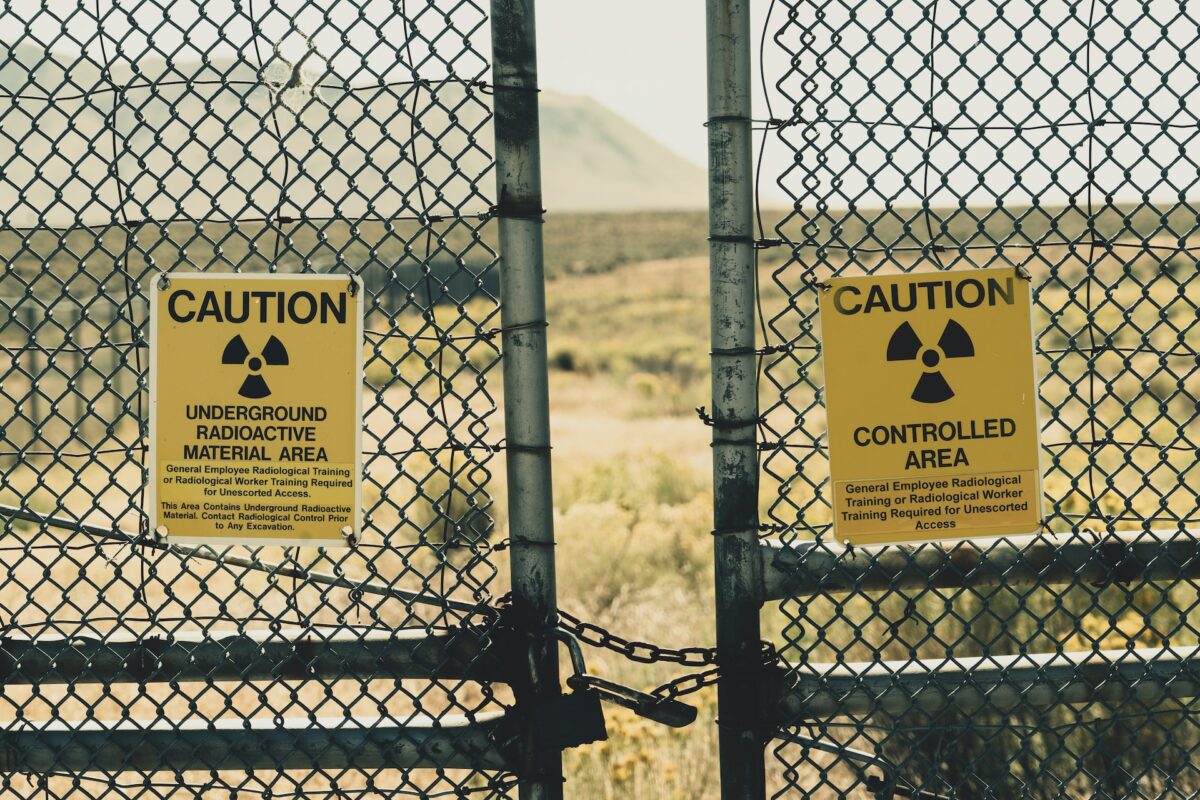
The growing list of impacted organizations includes DOE contractors specializing in nuclear waste disposal and scientific education.  

The Water Isolation Pilot Plant located in New Mexico and charged with disposal of defense-related radioactive nuclear waste as well as the Tennessee-headquartered DOE contractor Oak Ridge Associated Universities both received ransom demands via email, after sensitive data was compromised from the MOVEit security flaw.  

The DOE, which manages U.S. nuclear weapons and nuclear waste sites notified Congress of the breach and is participating in investigations with law enforcement and CISA, according to VOA.  

All this surfaced after Clop claimed it wouldn’t exploit data from governments, military, and children’s hospitals.  

The ransomware gang didn’t respond to VOA’s request for comment but did post a few days later in all-caps: “WE DON’T HAVE ANY GOVERNMENT DATA,” and claimed that if they had inadvertently picked-up any government information, they would “STILL DO THE POLITE THING AND DELETE IT ALL.” 

Experts believe they are likely making a big deal of such claims in an attempt to dodge US government retaliation. (However, that move isn’t working.) Meanwhile, it’s unlikely anyone in the security community took the group’s data destruction claim seriously, Alan Liska, a Recorded Future analyst told VOA. “Everybody in the security community was like, ‘Yeah, right. You probably gave it to your Russian handlers.”  

Assess Your Cybersecurity Immediately

Are you wondering where your organization stands with regard to cybersecurity measures? Do you have an established incidence response procedure? Are you tired of wading through endless telephone prompts before you can receive assistance with your security concerns? Horizon Helix is the answer. Call us today for a free assessment of your cybersecurity.